As an Amazon Associate I earn from qualifying purchases.
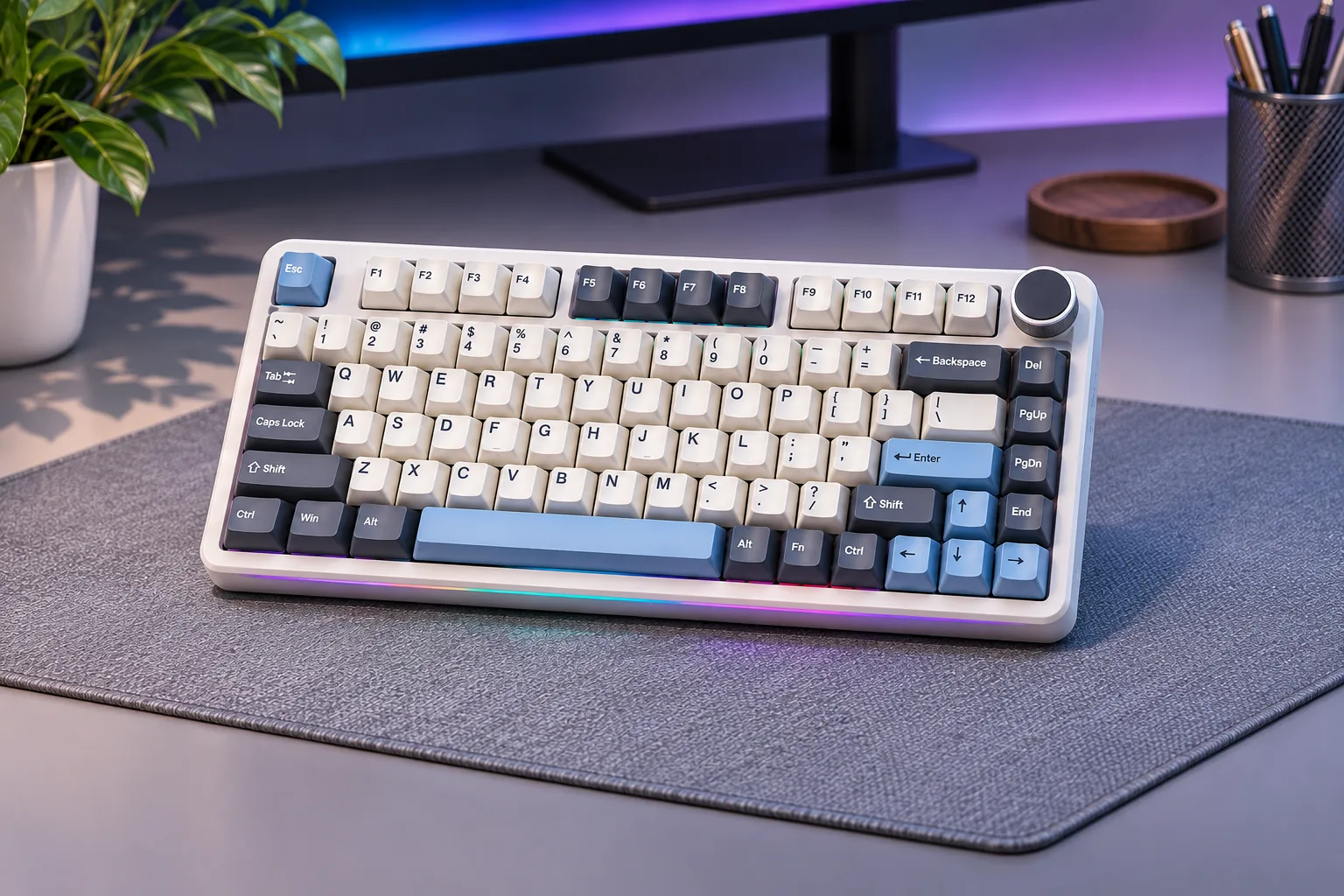
For an AULA F75 Pro keyboard, start with the exact switch and color option on the product page. It is a compact mechanical 75% model, distinct from the base F75 and magnetic F75 HE. AULA’s product and details pages conflict on key count, so verify the selected listing instead of assuming one count applies. S01 · S02 · S04
Contents
- What the F75 Pro listing confirms
- Choosing a switch and color
- F75 Pro versus base F75 and F75 HE
- Check the exact US order
- Frequently asked questions
- Final checks for an AULA F75 Pro keyboard
What the F75 Pro listing confirms
AULA’s product and details pages describe its connection modes, knob, RGB, 3-/5-pin hot-swap support, and five-layer gasket construction. These are manufacturer specifications, not independent measurements of typing feel, sound, or durability. S01 · S02
| Check | What AULA lists | What that means for your choice |
|---|---|---|
| Layout | 75% | A more compact starting point than a full-size layout; consider whether the keys you use regularly are present. |
| Connection | 2.4GHz, Bluetooth, and USB-C | Choose based on how you intend to connect; the listed modes do not by themselves establish a measured latency advantage. |
| Switch replacement | 3- and 5-pin mechanical hot-swap support | Check the exact switch’s technology and fit before buying replacements. |
| Construction and controls | Five-layer gasket structure, RGB, and a knob | These are listed features, not a guarantee of a particular sound or typing feel. |
| Key count | 81 on the product listing; 80 on the details page | The official pages conflict. Do not repeat either as a settled universal count. |
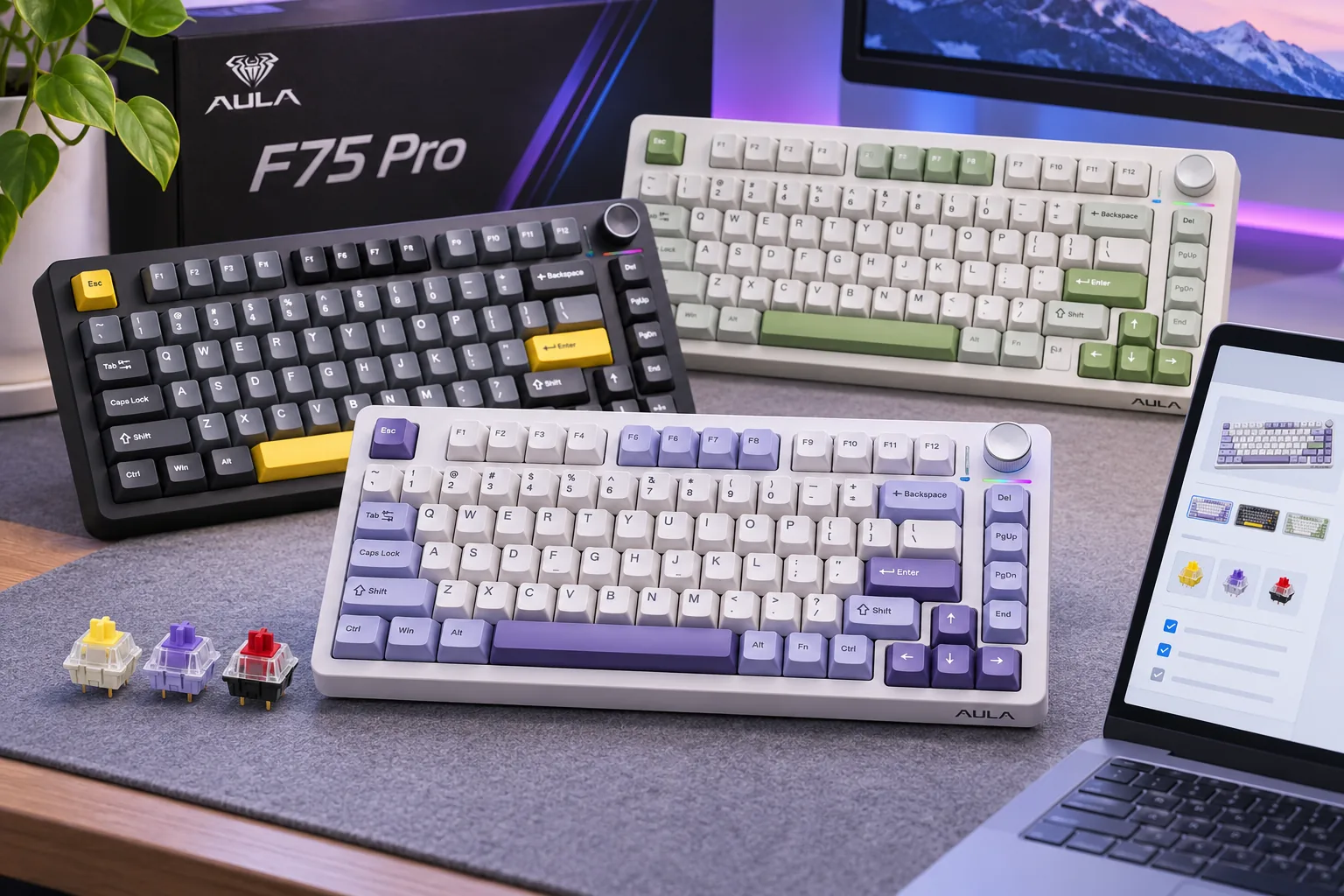
The product page presents selectable switch and color combinations. Record the exact option shown on the listing, and use that configuration label—not just the F75 Pro family name—when you compare sellers or check your order. S01
Choosing a switch and color
AULA’s product page includes names such as Reaper, Star, Graywood V3, Strawberry Mint, and Silent among its available switch/color selections. Since the page presents them as selectable options, first decide which listed configuration you want and make sure the final cart shows it. This research does not establish a controlled comparison of those switches’ force, sound, smoothness, or gaming performance, so the names alone are not enough to rank them. S01
Use a practical checklist:
- Choose the layout first. The F75 Pro is listed as a 75% keyboard. Confirm that its layout suits your desk and daily key needs.
- Select the exact option. Record the switch and color names shown in the product selector. Do not assume another F75 listing uses the same combination.
- Check replacement compatibility separately. The pages describe 3- and 5-pin mechanical hot-swap support. That does not establish that every switch fits or that a magnetic Hall Effect switch is interchangeable with a conventional mechanical switch. S01 · S02
- Verify the order summary. Make sure the selected color and switch match the cart before paying. Product options and order status can change.
If the switch feel itself is the deciding factor, a switch tester can help you compare before committing to a whole keyboard. That is general shopping advice; the official pages do not provide a switch-by-switch measured comparison for the F75 Pro selections.
F75 Pro versus base F75 and F75 HE
The names are easy to mix up, but AULA lists the F75, F75HE, and F75MAX as separate catalog entries. The F75 Pro also has its own product page and details page. Do not transfer one model’s specifications to another just because the names share “F75.” S04 · S01
- F75 Pro: the mechanical model described in this guide, with the product page’s own switch and color selections.
- Base F75: a separate AULA catalog model. Use its own listing and manual for specifications.
- F75 HE: a separate Hall Effect magnetic model. Mechanical switch specifications from the Pro should not be applied to it.
If your priority is the compact 75% format, the AULA compact keyboard guide covers the broader family. Use this page when your specific interest is the F75 Pro’s listed configuration and the discrepancy between its official key-count pages.
Check the exact US order
AULAGAMING says its official site serves the US market. That does not guarantee that the particular color/switch option you select is in stock, can be checked out, or can ship to your address. Confirm the selected option, order total, shipping eligibility, warranty, and delivery estimate at checkout. S03 · S01
As an Amazon Associate I earn from qualifying purchases. Search for AULA F75 Pro keyboards on Amazon. This shopping search is not evidence that a particular switch, color, seller, or current stock status is available.
Frequently asked questions
Does the AULA F75 Pro have 80 or 81 keys?
AULA’s two pages disagree. Check the exact listing and treat its count as unresolved until the selected product documentation confirms it. S01 · S02
Is the F75 Pro a Hall Effect keyboard?
The researched F75 Pro page describes it as a mechanical keyboard. AULA lists F75HE separately in its catalog; check the exact model before buying switches or assuming Hall Effect features. S01 · S04
Does hot-swap mean any switch will fit?
No. Verify both pin arrangement and switch technology; mechanical and Hall Effect models are not automatically interchangeable. S01 · S02
Final checks for an AULA F75 Pro keyboard
For an AULA F75 Pro keyboard, choose from the switch and color labels actually shown on the listing S01, treat the published key-count conflict as unresolved S01 · S02, and verify the selected option and US shipping terms S03. For replacement switches, confirm the exact mechanical pin fit before ordering S01 · S02.
Sources checked November 7, 2026
- S01 — AULA F75 Pro product page
- S02 — AULA F75 Pro Details
- S03 — AULAGAMING Shipping Policy
- S04 — AULA Keyboard Catalog